AI & AutomationExplained
AI agents that "do the job for you": what is real for a small team
By TrioFlare teamPublished Reviewed 6 min read
Select an image to open a larger version.
An AI agent can take on a repeated job for a small team, such as preparing a weekly summary or drafting replies for you to check. It works best when the task is low-risk, the result is easy to verify and a person approves anything important. It is not ready to be trusted with payments, legal promises or actions you cannot undo.
This is an explainer based on vendor announcements, checked on 11 November 2026. It is not a hands-on review, and it does not report measured time savings.
What an agent is, and how it differs from a chatbot
A chatbot answers the message in front of it. You ask, it replies, and the conversation ends there.
An agent is given a goal rather than a single question. It breaks the goal into steps, uses tools such as your inbox, files or browser, and keeps working over hours or days. It may check back with you when it needs a decision.
That difference matters. A chatbot can only give you a wrong answer. An agent with access to your tools can take a wrong action. So the useful question is not “how clever is it?” but “what is it allowed to do, and who checks?”
What companies announced recently
Several companies announced agent features in the first half of November 2026. We describe them here as examples of the trend. This is not a ranking or a recommendation.
Perplexity Teammates
On 4 November, Perplexity announced Teammates, which it describes as personal agents for long-running work. According to the post, a teammate remembers project goals and history, follows up as things change and presents finished work for review. It can send approval requests when it needs a decision.
Perplexity says each teammate runs in a separate environment and uses existing tool permissions. Its help centre calls the feature a research preview for individual Max subscribers on the web, and notes that behaviour may change.
Smartsheet Agentic Workflows
Also on 4 November, Smartsheet announced Agentic Workflows at its ENGAGE conference. A plain-language request, such as a weekly project summary or a check on risks, becomes a recurring task. Smartsheet says these use live project data and existing permissions. It also announced a Data Quality Agent that flags problems in sheets, on demand or on a schedule.
OpenAI Business Agents
On 10 November, OpenAI introduced Businesses in ChatGPT, a beta that includes Business Agents. These are customer-facing assistants that answer questions about a business’s offerings inside ChatGPT. At launch they are limited to eligible ecommerce and online service businesses in the US. OpenAI says these chats are clearly labelled, kept separate from ChatGPT’s own answers, and not shared with the business.
Notice the pattern. Each announcement mentions review, permissions or limits on what the agent can do. The companies building these tools are keeping a person in the loop, and so should you.
Where an agent can help a small team today
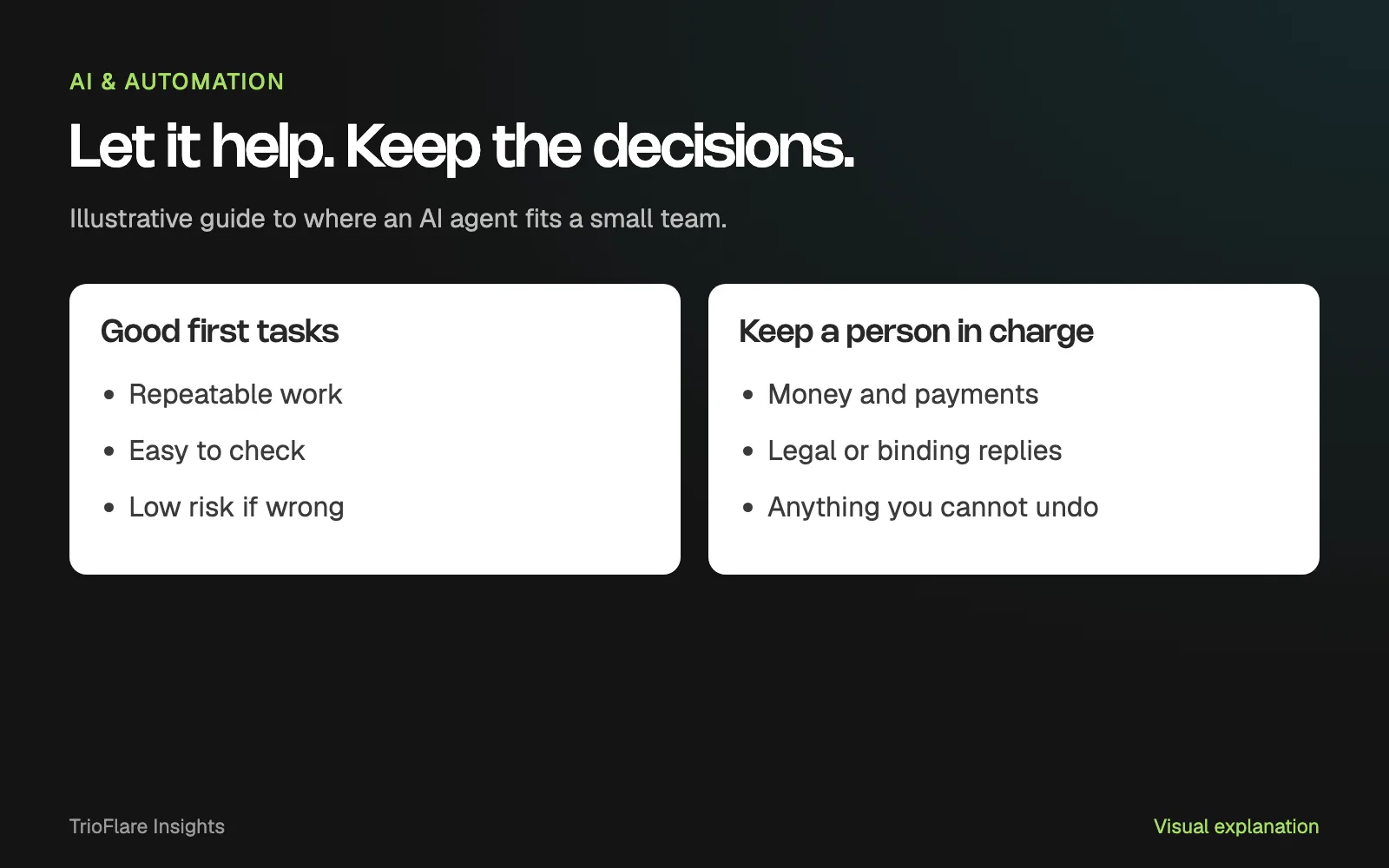
The good candidates share three features. The job repeats. A mistake is cheap to fix. And you can tell quickly whether the result is right.
Summaries and reports
A weekly summary of open jobs, overdue invoices to chase or new enquiries is a reasonable first task. You know what the numbers should roughly look like, so errors stand out.
Drafts for a person to send
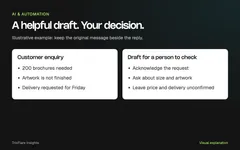
An agent can prepare replies to common enquiries and leave them as drafts. A person reads, edits and sends. Our guide to AI customer reply drafts walks through this kind of workflow step by step.
Watching for changes
Monitoring a few competitor pages, a supplier’s price list or a public tender site, then sending you a short note when something changes, is low-risk. The agent reports; you decide.
Tidying data
Flagging duplicate contacts, missing fields or odd entries in a spreadsheet is useful when the agent suggests fixes and a person applies them.
Where an agent should not act alone
Some jobs carry too much risk for an agent to finish without a person, however good the demo looks.
Money
Paying bills, issuing refunds, changing prices or spending on ads should need a human approval every time. A small error repeated by an agent can become a large bill.
Legal and commercial promises
Quotes, contracts, delivery dates, discounts and anything to do with tax or compliance need someone who can stand behind the decision.
Anything you cannot undo
Deleting files, sending a message to your whole customer list or publishing on your website cannot always be reversed. Keep these behind an approval step.
Work you cannot check
If you cannot tell whether the output is correct, you cannot safely rely on it. This includes advice in an area nobody on your team understands well.
A safe way to start
Choose one task
Pick one job from the “can help” list. Write down what a good result looks like before you begin, so you can judge the agent fairly.
Give it limited permissions
Permissions decide what the agent can open and change. Connect only the apps the task needs. Give read-only access where you can, and avoid connecting your main bank or payment accounts.
Keep a person in charge of the final action
Set the agent to prepare and suggest, not to send or change things on its own. Check that the approval step is a real setting in the tool, not just a line in your instructions.
Read the logs
Most agent tools keep an activity log, a record of what the agent opened, wrote and tried. Read it every week during the trial. You will spot mistakes and unnecessary access early.
Track the cost
Agent tools are often billed by plan, usage or credits. Note what you pay and how much time you spend checking and correcting the output. Compare that with doing the job by hand before you expand.
Common questions
Is an AI agent the same as automation?
Not quite. Traditional automation follows fixed rules you set up, such as “when a form arrives, add a row to this sheet”. An agent decides some of its own steps. That makes it more flexible, and also less predictable, so it needs closer checking.
Can an agent replace a staff member?
The announcements describe agents that handle parts of a job and hand results to a person for review. Treat an agent as help with specific tasks, not as a replacement for someone’s judgement.
Is my business data safe with an agent?
That depends on the tool and how you set it up. Read the vendor’s data and privacy terms, connect only what the task needs and keep customer details out of tests until you are comfortable.
How do I know if the trial worked?
Compare the agent’s results with your “good result” note. Count the corrections you make. If the same fix keeps coming up, narrow the task or improve your instructions before adding more.
If you want help setting one up
If you have a repeated task in mind and want to try an agent safely, our AI automation team can help you scope it, set the permissions and build the approval steps around the tools you already use. You can also get in touch to talk it through first.
Try this on your own project
Checks reset when you reload this page.
Key takeaways
- An agent works on a goal over time; a chatbot answers one request.
- Agents suit repeatable jobs whose results a person can check.
- Keep money, legal matters and irreversible actions with a person.
- Start with one task, limited access and an approval step.