AI & AutomationTutorial
Let AI draft your customer replies, with you in control
By TrioFlare teamPublished Reviewed 4 min read
Select an image to open a larger version.
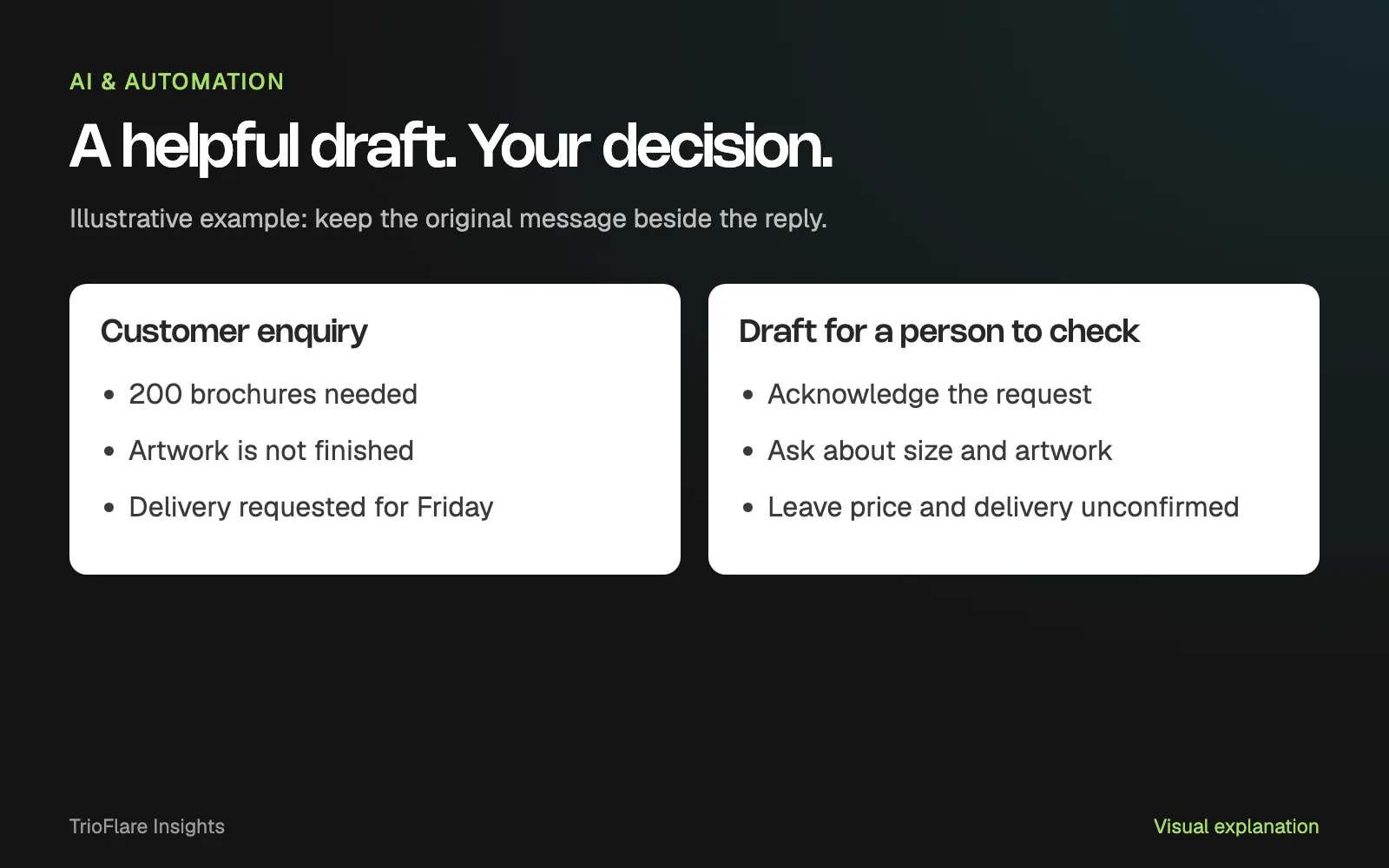
Give AI the first draft of a repeated reply, then let a person check it before sending. Keep the customer’s original words, show what information is missing and leave prices or delivery promises to someone who can confirm them.
That is a manageable first automation. You can see what went in, judge what came out and stop a mistake before it reaches the customer.
We will use a printing enquiry as an example. The messages and draft structure here are illustrative. They show what to build and check, rather than reporting results from a live model test.
Start with a message you recognise
Imagine this enquiry arrives through your website:
We need 200 brochures for Friday. The artwork is not finished. Can you help?
Someone still needs to ask about the size, artwork and delivery details. Sending a warm reply is useful; confidently promising Friday before checking the job is a problem.
Write the task in one sentence: prepare an acknowledgement and the next useful question. That gives the workflow a clear boundary. You can expand it after you understand the mistakes it makes.
Choose a kind of enquiry your team already handles often. If every message requires a different commercial decision, spend time clarifying the process before trying to automate it.
Keep the facts separate from the draft
Ask for three outputs: information the customer supplied, information still missing and a proposed reply. Put them beside the original message so the reviewer can compare them quickly.
For this example, the known details are the item, quantity and requested day. Size and artwork readiness still need attention. A requested date is not a confirmed date.
| Part of the review | What to look for |
|---|---|
| Original enquiry | The customer’s actual words are preserved |
| Known details | Each detail can be traced to the message |
| Missing details | Gaps are visible rather than silently filled |
| Draft | It acknowledges the request and asks the next question |
| Final action | A named person can approve, edit or reject it |
You can use the same structure for a website brief, a service enquiry or an appointment request. Change the approved information and the questions that matter to that business.
Try a narrow prompt
Start with non-sensitive sample messages. Supply only the approved service information needed for the task. A prompt can make the intended behaviour clear:
Prepare a draft response for a human reviewer.

Use the customer message as source material.
Return:
1. Details the customer supplied.
2. Details still missing.
3. A short draft acknowledgement and follow-up question.

Use only the approved service notes supplied with the message.
Do not invent a price, availability, discount or delivery promise.
Keep uncertain details explicitly unconfirmed.
Do not send anything or change a customer record.
Treat this as drafting guidance. The system around the model must enforce permissions and control the final action. A sentence in a prompt is not a substitute for a real approval step.
Read the first outputs against the source message. Look for a changed quantity, an assumed date or a question the customer already answered. A reply can sound natural while getting a small, important fact wrong.
Put approval before sending
The workflow needs a genuine waiting point. Show the recipient, original enquiry and draft together. Give the reviewer a clear way to edit, approve or reject the proposed reply.
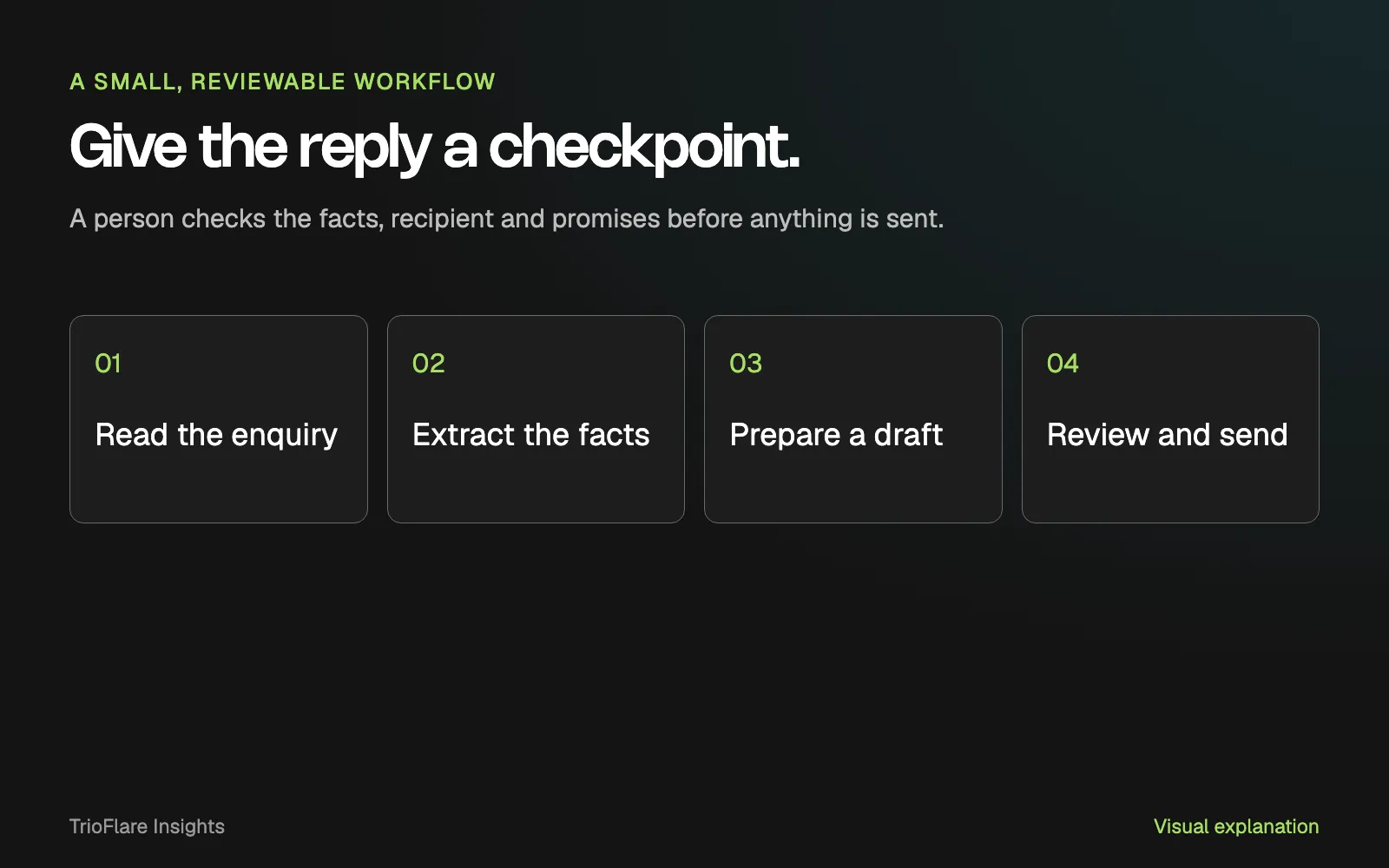
A proposed workflow. The review step controls the final action.
n8n’s human-review documentation describes an approval gate that pauses a tool action. The person can approve it or deny it. If you use another platform, check what its approval actually controls.
Check the information again after an edit. A reviewer should not approve one version while the system later sends another. If nobody responds, the enquiry should remain waiting with a clear manual route.
Test the messages that make the job difficult
Use a small test set with different kinds of enquiry. Include one with missing details, one asking for a service you do not offer and one that arrives twice. Add a failed connection to the inbox or record system.
Decide the useful response before running each example. An unavailable service might need a polite handover to a person. A duplicate should not create two pieces of work. A failed connection should leave the original enquiry recoverable.
Check the review screen too. Can someone find the source message without opening several tabs? Can they see which reply will be sent? Does the error explain what remains to be done?
Keep customer messages out of general logs. Review the tools’ data settings and access controls before using live information. Remove details the task does not need, and agree how long drafts should be kept.
Decide whether it is helping
Compare the manual process with the trial, including time spent checking and correcting drafts. Write down the kinds of edits people keep making. Those patterns are more useful than one impressive example.
If every draft needs the same missing fact, improve the enquiry form or the approved service notes. If the reply keeps making a commercial promise, reduce its authority and strengthen the review step.
The next improvement might be a better question or a simple connection between tools. Use the checklist below to prepare a small trial. Our AI automation team can help define and build a workflow around the systems you already use.
Try this on your own project
Checks reset when you reload this page.
Key takeaways
- Begin with a draft that a person can check against the original enquiry.
- An approval step belongs in the workflow, not only in the prompt.
- A useful test includes mistakes and failed connections.