Web & App DevelopmentChecklist
Built your website with AI? Check these 7 things before launch
By TrioFlare teamPublished Reviewed 5 min read
Select an image to open a larger version.
Before customers use an AI-built website, test what happens after the first click. Complete the main task on a phone, follow the enquiry to its destination and check who controls the project. A finished-looking page can still leave an important job unfinished.
You do not need to turn the launch into a technical exam. Choose the action that matters most to your business: sending an enquiry, booking a call or requesting a quote. Follow that action from beginning to end.
Keep a small note with the page, what you tried and what happened. That gives the person fixing a problem something concrete to work with.
1. Use it on your phone
Open the actual page on your phone. Start from a link in a message, as a customer might. Find the service, open the menu and try the main button without knowing where everything lives.
Then open the keyboard. Can you still see the question you are answering? Can you reach the next field and the send button? A desktop preview cannot show you this whole experience.
Try enlarged text and a longer answer too. Your layout should leave room for ordinary variation, including a long business name. Ask someone unfamiliar with the site to complete the same task while you watch quietly.
2. Read every claim out loud
AI can produce convincing copy before you have supplied convincing facts. Check the business name, service area, hours, contact details and every statement about your experience.
Look for leftover examples in testimonials, prices, team profiles, statistics and images. Replace them with verified material or remove the section. A realistic-looking customer portrait does not turn sample feedback into a real testimonial.
Read the main page as a new customer. Can you tell what the business does, who it helps and what happens after you get in touch? Keep the useful detail and remove sentences that could describe almost any business.
3. Follow one enquiry all the way through
Send a test enquiry using details you control. Check the website’s response, then open the intended business inbox. Verify the message content and any reply-to address. If the visitor should receive a confirmation, check that separately.
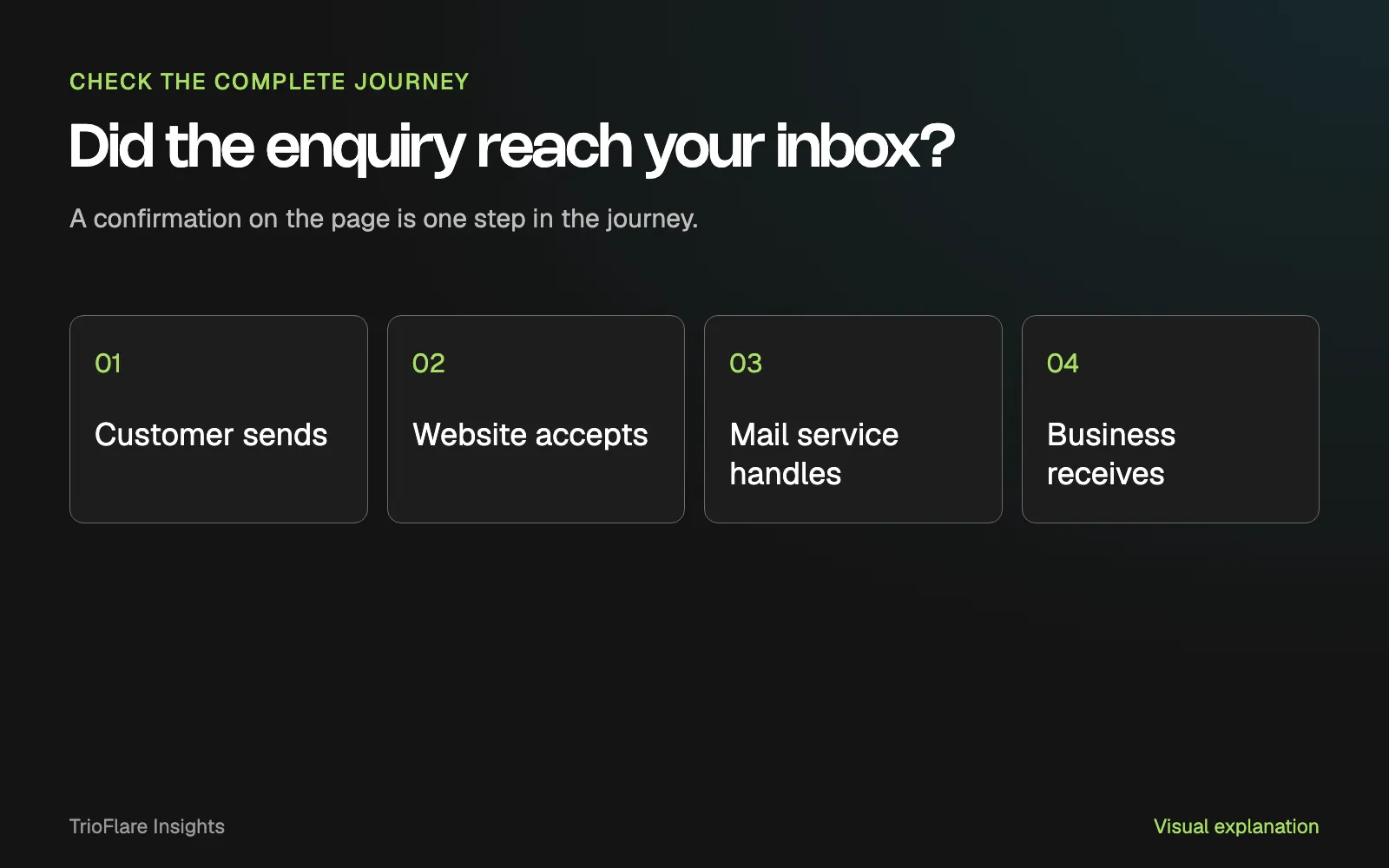
A process diagram, not a delivery report. Check each stage using a real test on your own site.
If a message goes missing, record the time and the page. Ask the developer to trace the submission and mail-service result without exposing customer details in logs. An email can be accepted by a service and still need further investigation before you know it arrived where intended.
Make sure your team knows who watches the inbox. A working form is useful only when someone can recognise and respond to the enquiry.
4. Make the awkward cases understandable
Leave a required field empty. Enter an incomplete email address. Press the button twice. Try the page with a slow or interrupted connection. These small tests reveal what a smooth demonstration often misses.
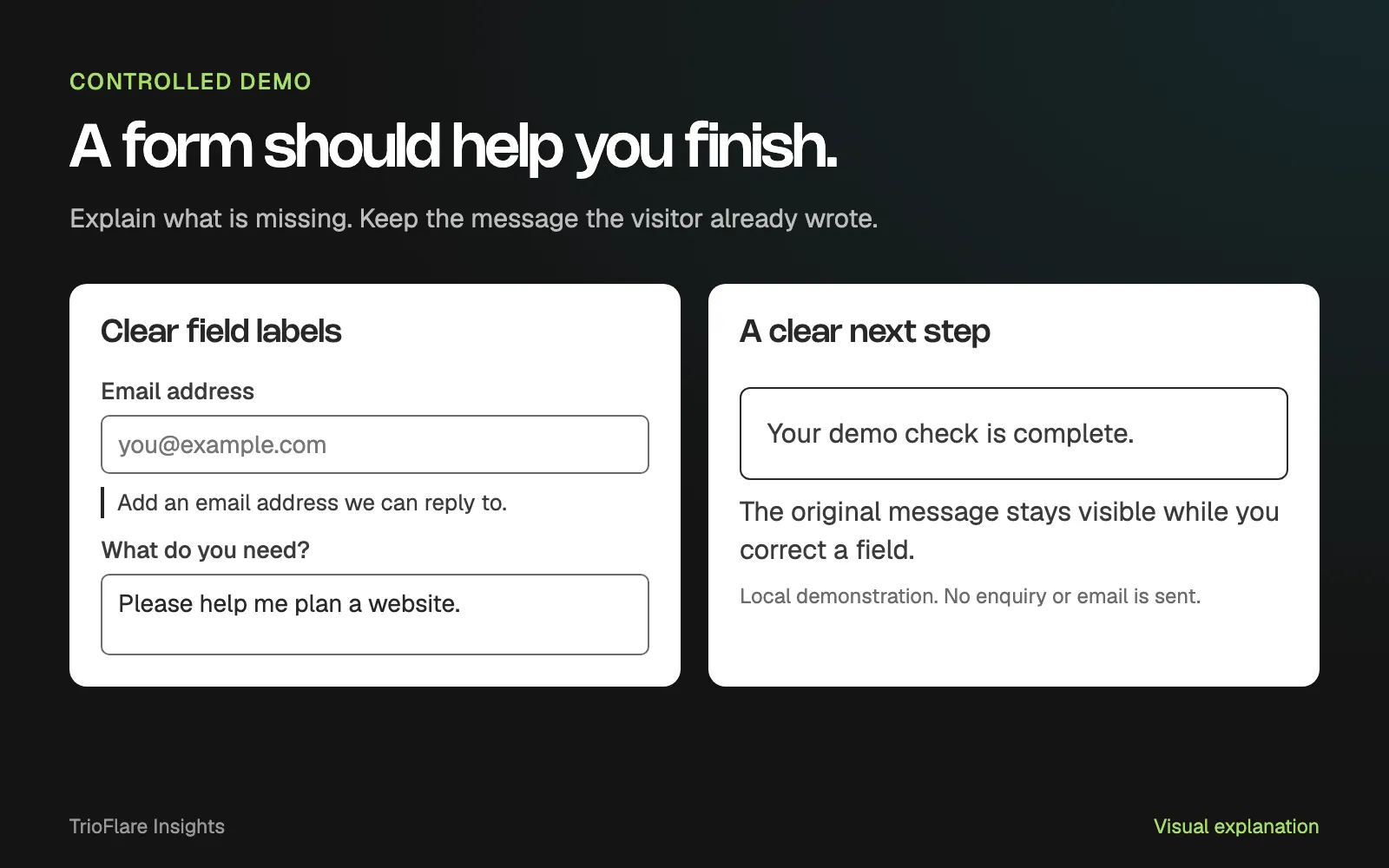
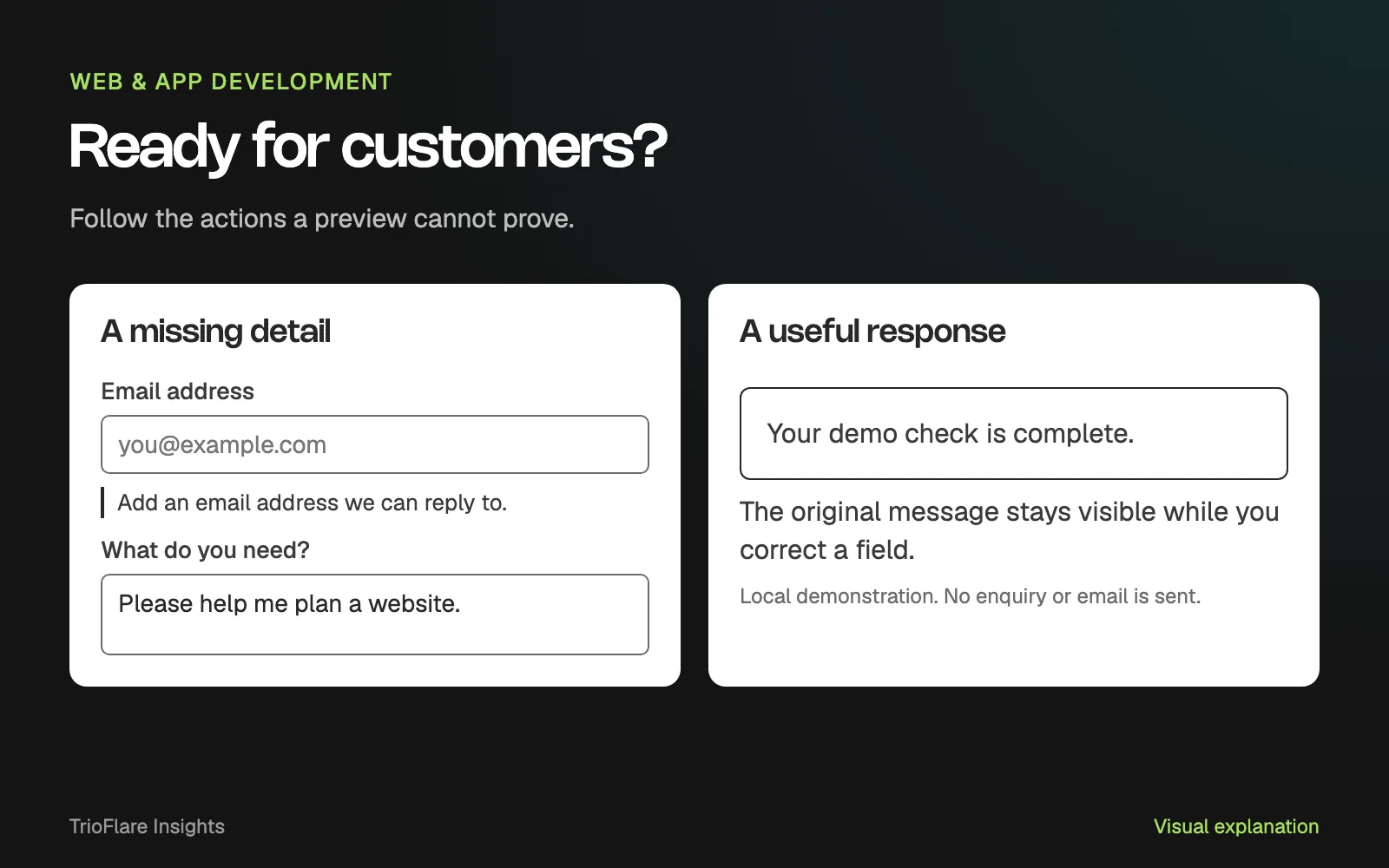
Designed and captured locally for this guide. This demo does not send an enquiry or email.
An error should identify what needs attention and help the visitor continue. Preserve the information they already entered where it is safe to do so. A vague failure message followed by an empty form is a difficult way to begin a customer relationship.
Google’s form-validation guide explains visible requirements and browser checks. Those checks help people complete the form; the server also needs to validate what it receives.
| Try this | A useful result |
|---|---|
| Leave a required detail out | The page identifies the question to fix |
| Interrupt the connection | The page explains the outcome honestly |
| Submit twice | The site avoids accidental duplicate work |
| Go back to correct an answer | Earlier answers remain available |
5. Ask for a security and access review
Ask the developer where form validation happens, who can access submitted information and how credentials are stored. A public page should not contain a private API key or a password that makes an integration work.
Keep spam protection and submission limits in the review. Hiding a field in the browser does not make its value trustworthy. OWASP’s input-validation guidance explains why checks need to happen on the server.
You should be able to understand the answer in plain language. Ask what happens when a check fails and how someone can recover. Avoid accepting “the AI handled it” as the explanation for a part of the site that needs an accountable owner.
6. Check the journey on mobile data
Open the important page away from your fastest connection. Notice when the main information appears, whether buttons respond and whether the layout moves as images or embeds load.
Use a performance report to investigate what you observed. Keep the page URL and test conditions with the report. A single score is less useful than knowing that the booking button is delayed or that an oversized image keeps the main content waiting.
After a fix, repeat the customer task. Check the form, navigation and any booking or payment handover again. Performance work should help someone finish the job they came to do.
7. Keep the keys to your project
Confirm who owns the domain, hosting, code repository and business integrations. Use business-controlled accounts, appropriate access for each person and a recovery route that does not depend on one freelancer’s personal inbox.
Ask for a simple handover note: where the code lives, how updates are released, how backups work and who to contact when something stops working. Check that another person can follow it.
You can use the checklist below as your launch note. Mark the checks you have completed and share the remaining questions with your developer. If you want a team to review the whole journey, see our website development service.
Try this on your own project
Checks reset when you reload this page.
Key takeaways
- A good-looking preview is the start of a launch check.
- Test a complete customer task, including what happens after submission.
- Keep the accounts and project access under your business's control.